
Problem
A videogame is a tremendously complex product: databases, animations, scenarios, characters, narrative ... Its creation has always been seen as something only within the reach of coders, designers and scriptwriters getting along in a long-term, expensive process.
Why not bring all of it to people?
Solution
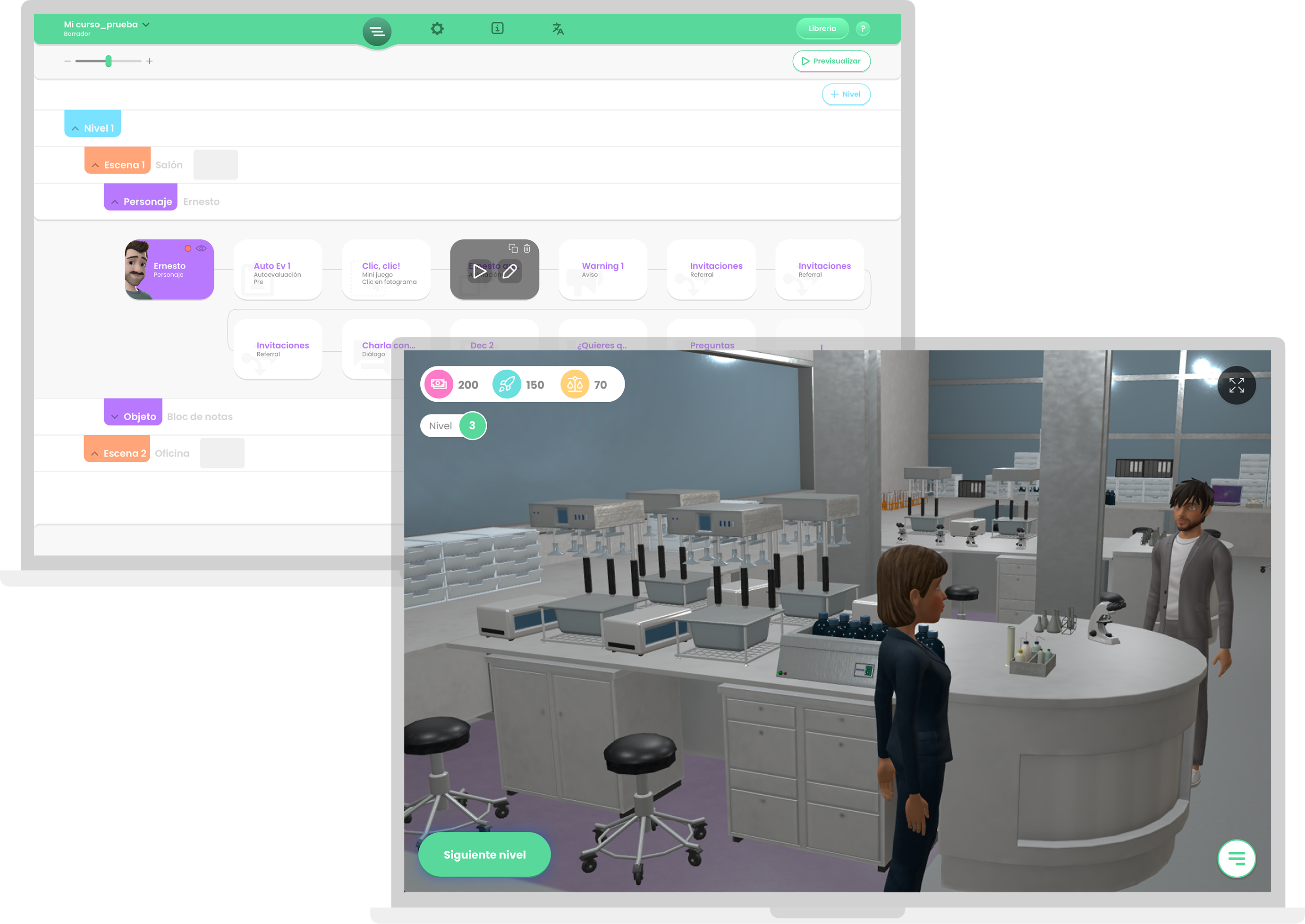
With this tool, it is possible to generate interactive 3D video games with complex content without touching a single line of code, putting the user abilites in the spotlight.
Role
Since it was a brand new product with little benchmarking capability at the moment, I was tasked with designing the whole user experience (UX) from scratch, always within a context of continuous improvement.
Then, in Jan 2023 I was put in charge of UI competences as well, handling full product design life cycle from that moment on.
What I did
- Product technical definition along with CEO, CPO and PO. Tools: Jira, Confluence
- Conceptualization and ideation (flowcharting + sketching). Tools: Hand drawing, Draw.io
- UX/UI design (wireframing). Tools: Figma + Craft
- Prototyping at different levels of detail. Tools: In Vision
- Knowledge transfer for UX writing and UI Tools: Slack, Google Suite (Meet, Docs, Chat)
- UI/Dev iterations follow up for MVP, Beta and releases. Tools: Zeplin, Jira, Confluence, Asana
- User interviews on possible features and tool perception. Tools: Google Suite (Meet, Docs, Chat)
Discovering needs
Goal
A Generate gamified training software from scratch without coding.
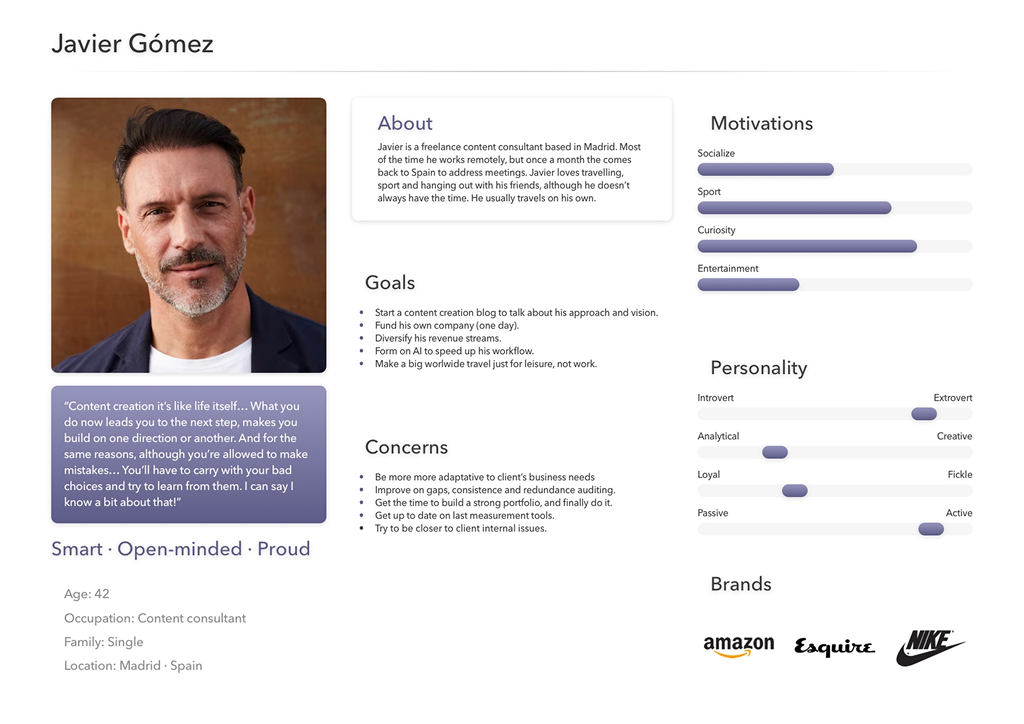
User persona
Young-mid aged content creators with:
- Average tech profile.
- Work-driven desktop apps use.
- Casual mobile edition and gaming apps use.
User stories
As a creator:
- I want to build a story from scratch, so I can shape up my ideas in a free and intuitive environment.
- I want to insert my contents in a predefined template-based story, so I speed up my work.
- I want to configure scenarios, characters and other relevant elements So I have every single part of the story under control.
- I want to translate my story into other languages so I have the ability to reach international profiles and markets more easily.
- I want my story to be cloud-based so I keep my clients, employees or students up to date on a regular basis, not blocking their learning curve.
As a player:
- I want an interactive introduction with key concepts, so I understand the educational mechanics before playing.
- I want to customize gameplay options and style, so I tailor the experience to my preferences and learning needs.
- I want to get feedback on my mistakes, so I can better understand my areas of improvement.
- I want to address realistic situations and interactive dialogues, so I practice communication and improve my language skills in a contextualized way.
Some good design choices
At the beginnings of the project, the Business stakeholders put certain ideas on the table -some of them with sketches- in which I noticed a number of pain points, the most serious of which was a navigation system that got the user stuck when moving between sections, levels and scenes of the script.
After conducting some quick usability testing sessions and subsequent interviews with other internal stakeholders, I found that no one understood what was being proposed.
As an alternative, I suggested a more visual and intuitive structure, based on:
Navigate properly
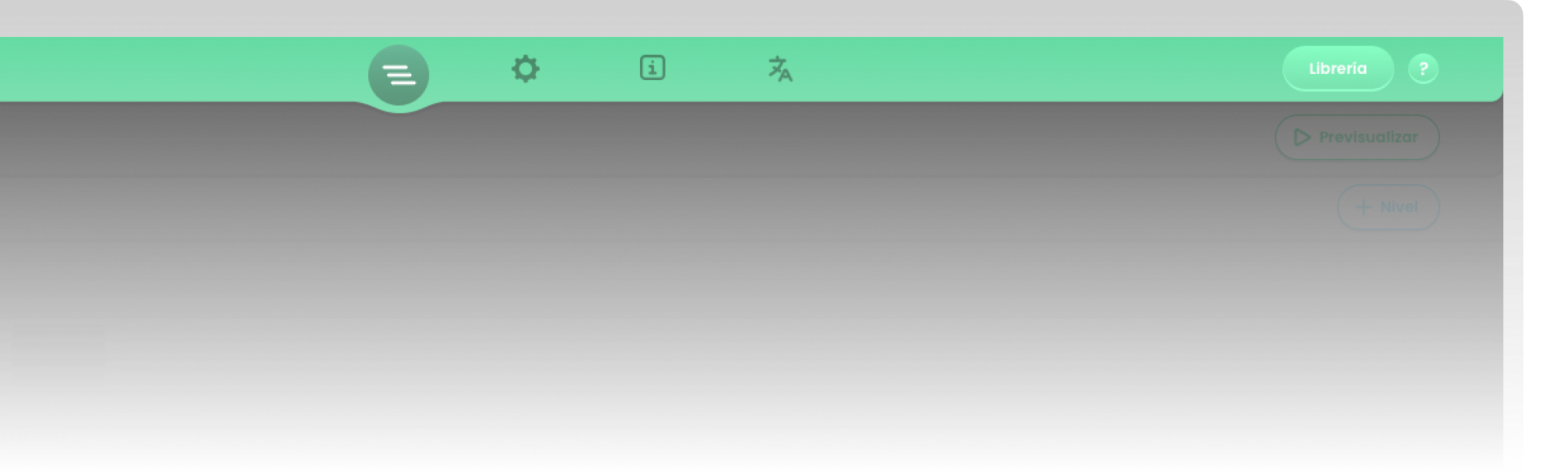
A single nav bar with tabs that allowed navigation between sections without blocking.
Organize better
A nested cascade script system for levels, scenes and elements, from which a flow of pieces decided what was happening in the game. This user-centered path reduced the cognitive load by putting in value user abilities.
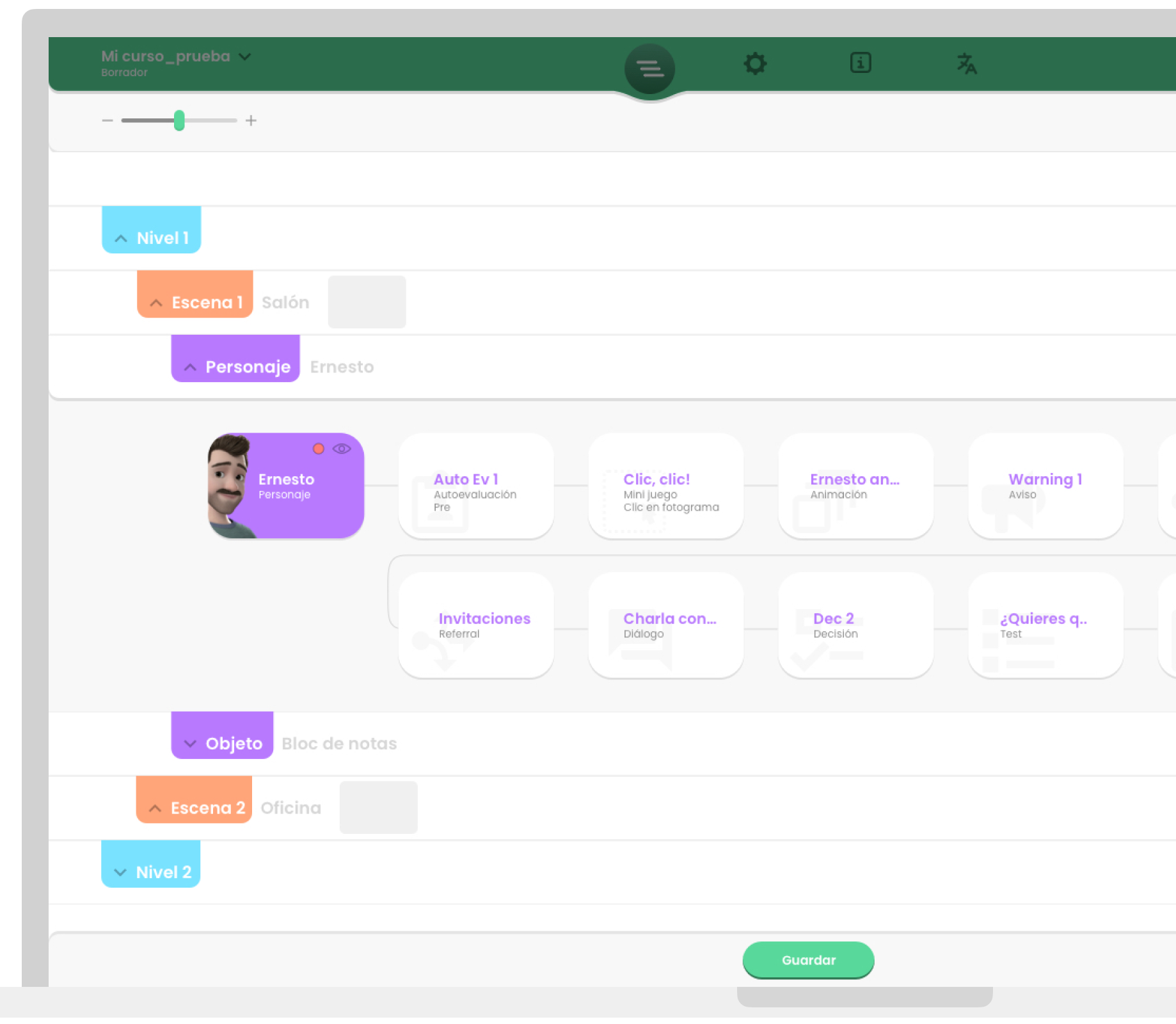
When showed to Business people, they understood the frictions of their initial ideas, which they did not recognize in the first place. The new structure made a decisive impact on the entire tool, which became visible in the first metrics obtained after the first MVP test with real users:
92.2% Applicability
Question: Do you think Editor would be useful in your professional field?
94.6% Recommendation
Question: How likely are you to recommend Editor to a friend?
49% NPS (% Promoters - % Detractors)
Ok! But... How the h*** does it work?
The basic happy path has 3 steps. These UX wireframes will explain it briefly:
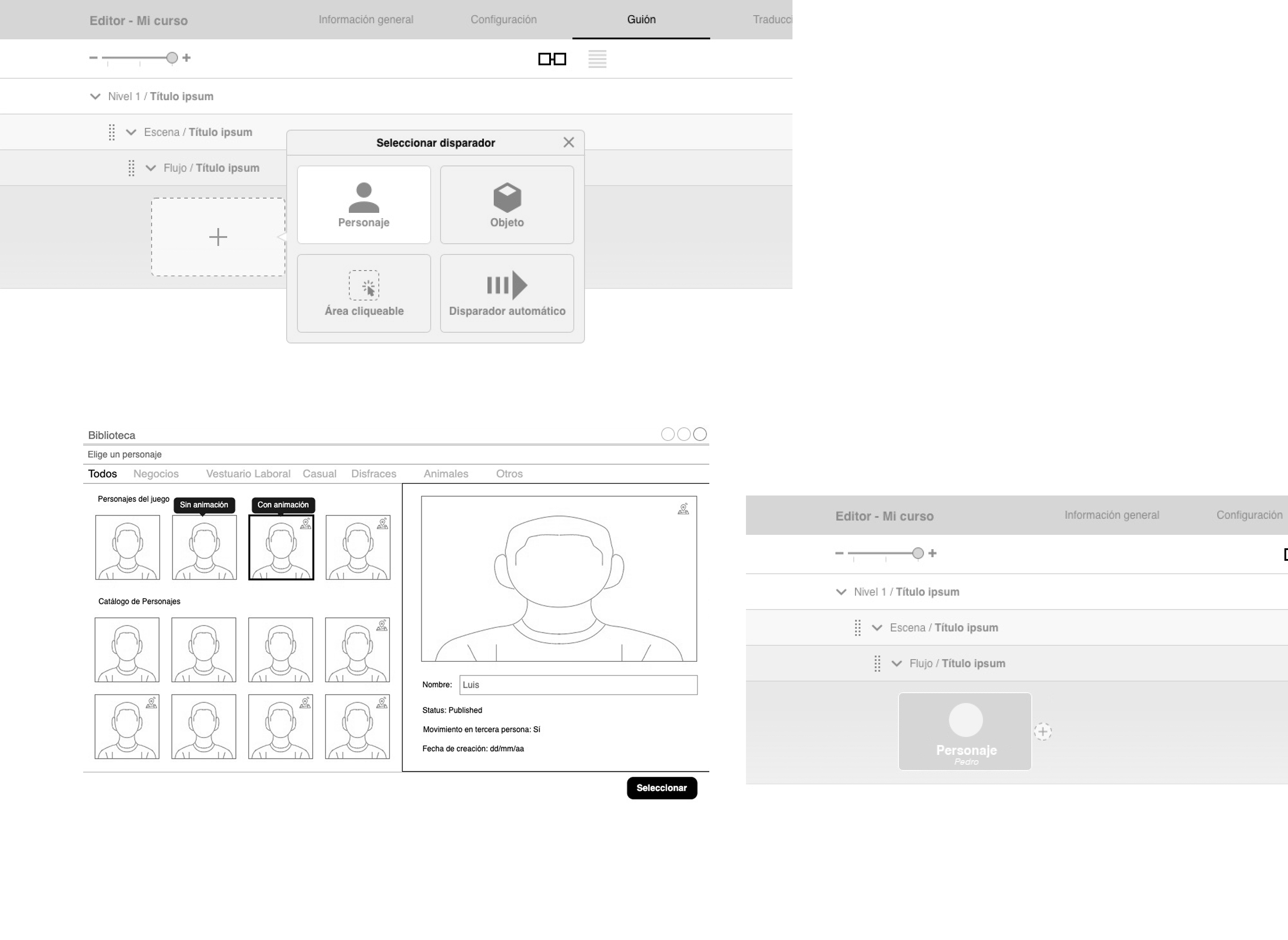
1. Trigger flow up
Choose your flow's trigger from the asset library. For example, selecting a character means this sequence starts as soon as a player interacts with them.
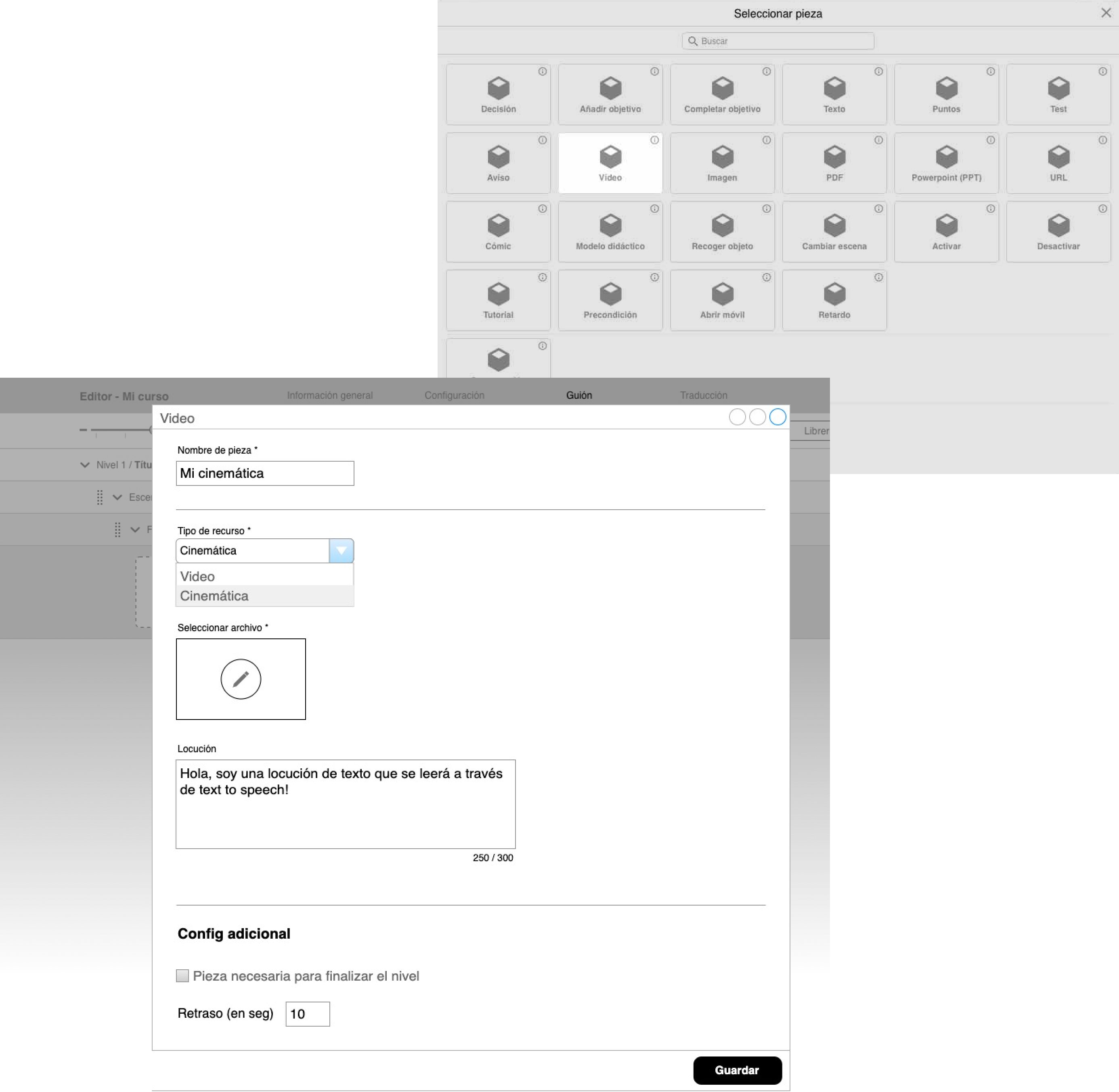
2. Set pieces down
Connect the dots of the learning experience by adding content pieces sequentially to form the game's storyline. Configure each node's behavior using its dedicated properties modal form.
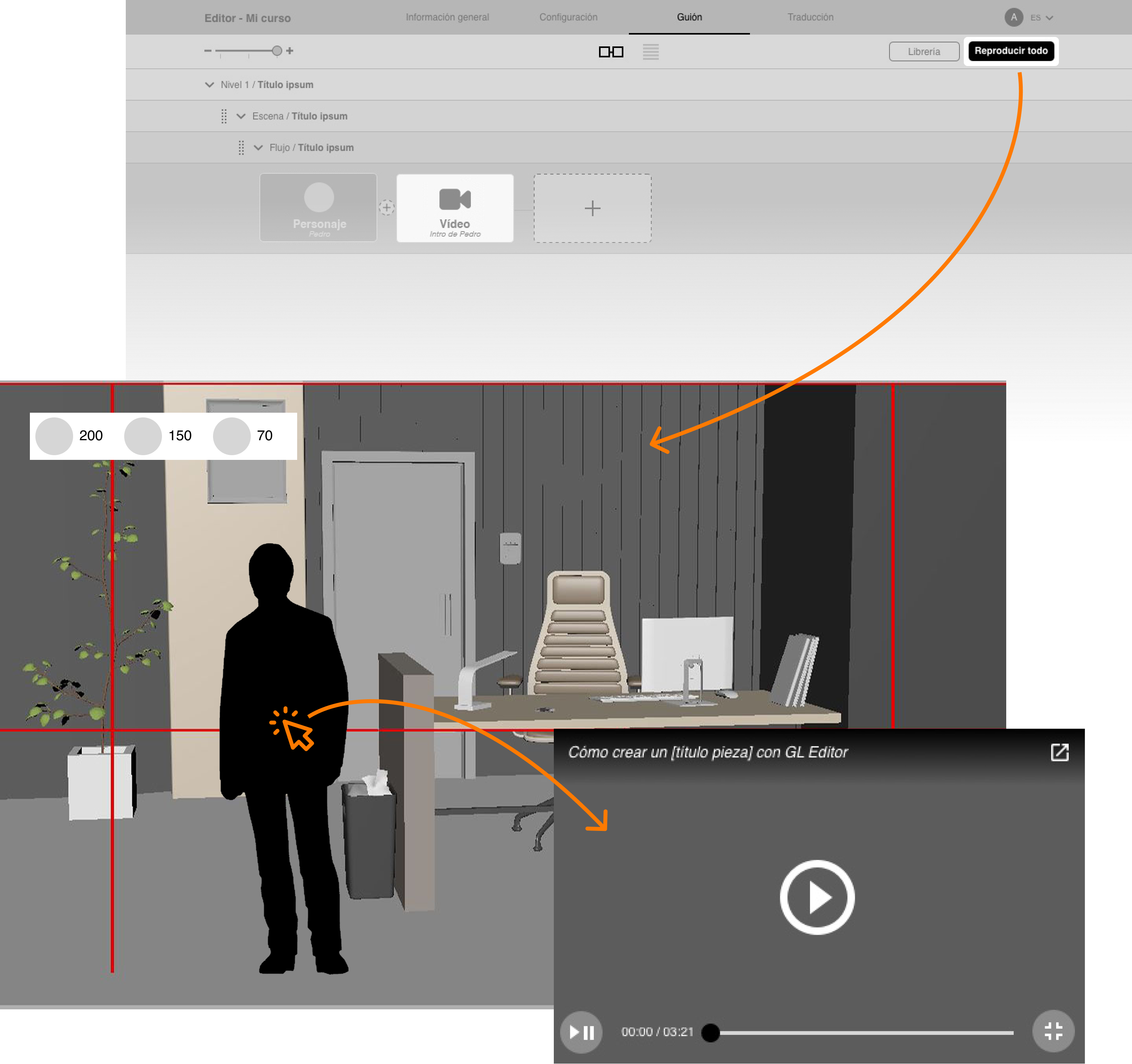
3. Let's preview
The trigger and first piece are perfectly chained together. Once live in the game, an in-game click on the character will instantly run this interactive sequence.
A catch: script characters management
Problem
During the project, having all game characters at one point arose as a major need, in order to establish a single source of truth and avoid the focus loss we noticed users were experiencing in the storyline building proccess.
Solution
A project configuration - level character management table is proposed. User can:
Add new characters.
Edit and organize existing characters.
Delete characters, as long as they have no use in the storyline.
This new feature represented a major improvement, in the light of the customer satisfaction score (CSAT) we obtained.
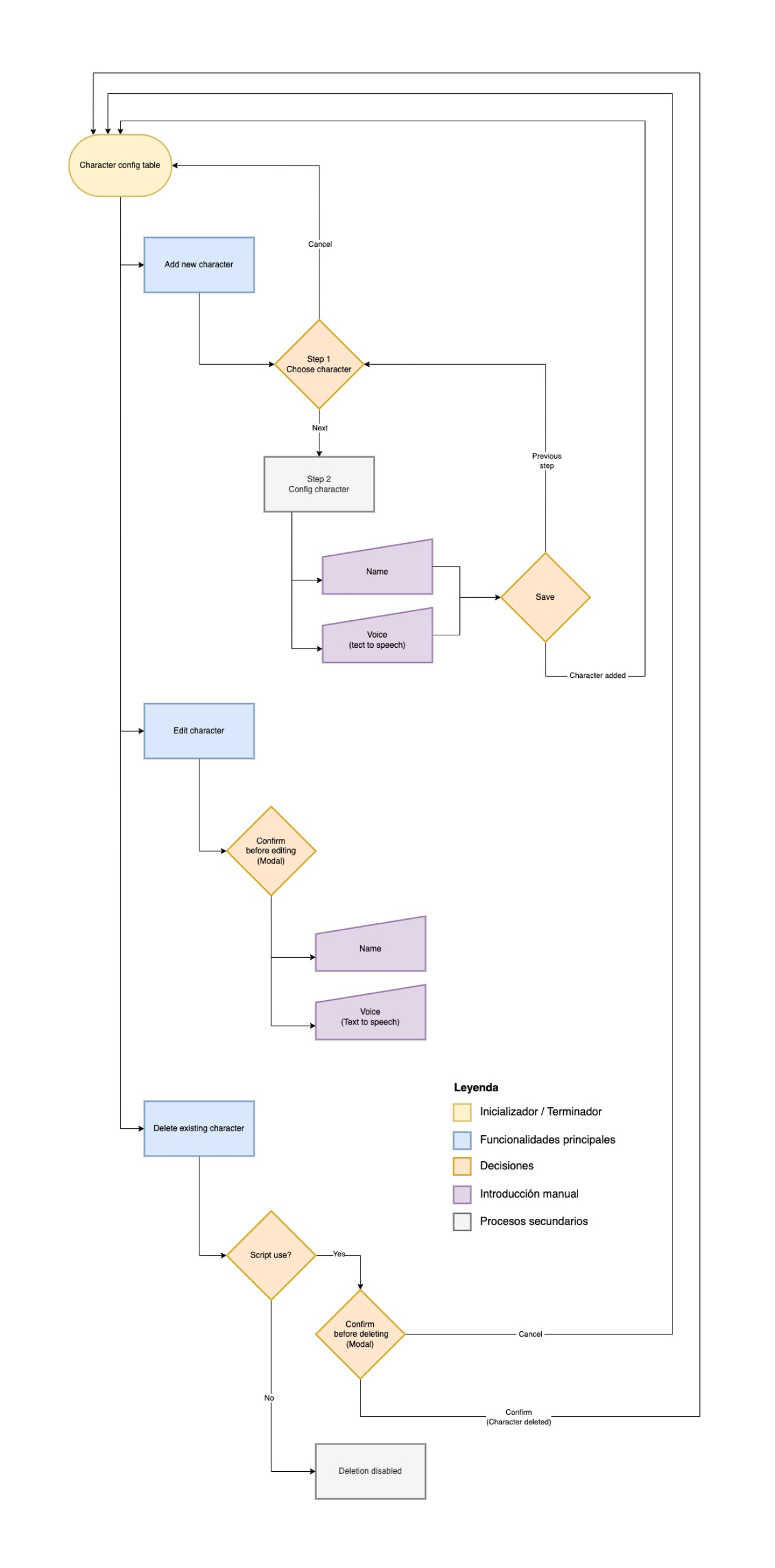
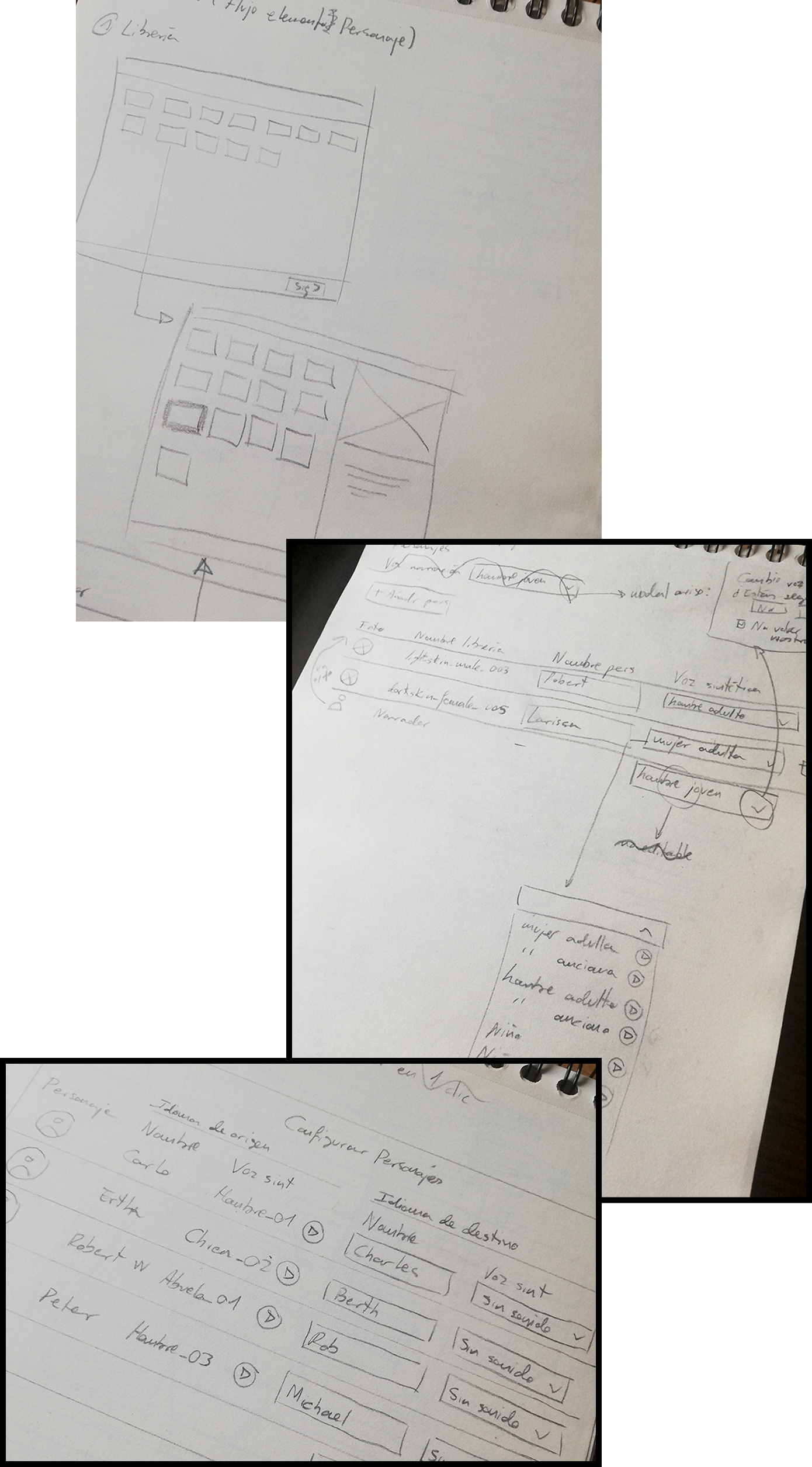
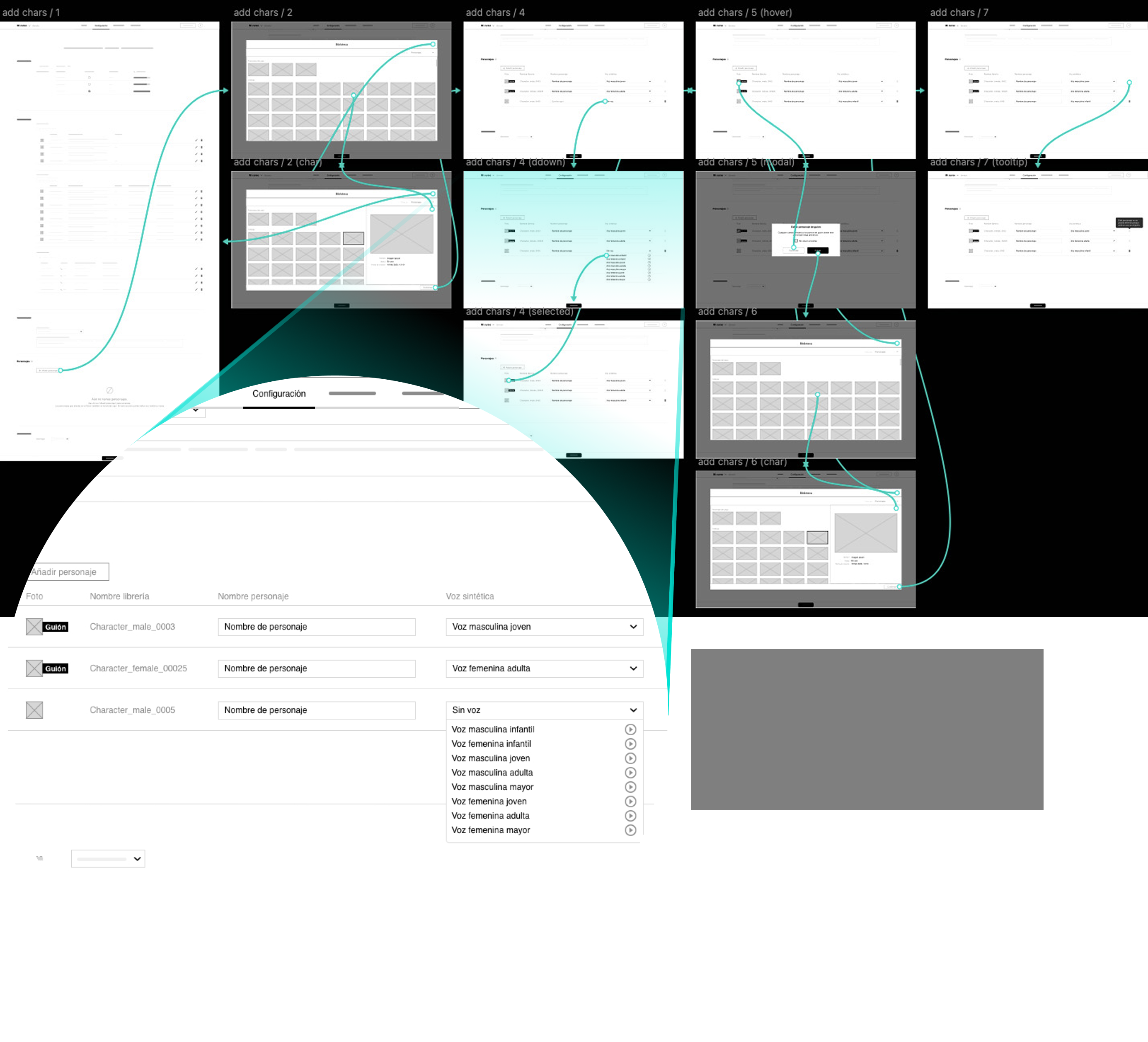
UX flow
The functional objective was to minimize interactions without sacrificing functionality, so that characters could be added, edited and deleted in as few steps as possible. The presence of the scripted character is also reported, using modals to make the implications of each management visible.
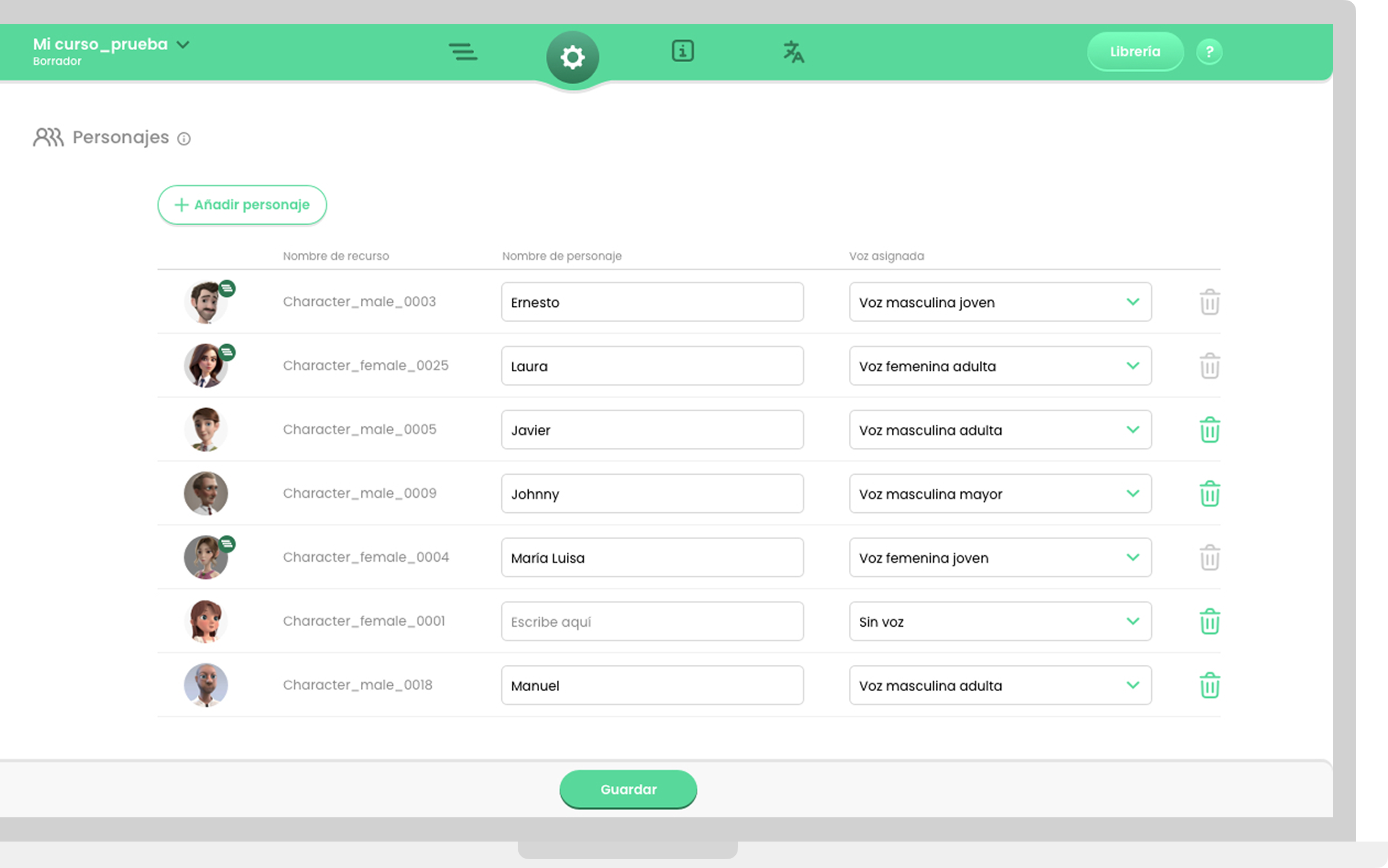
UI design
Suitable components are introduced to provide the basis for an easily scalable and reusable design system, in which rounded shapes and wide paddings reduce visual friction and give an organic touch to the interface, in the wake of alternatives such as Material You.
Takeaways
Peer makes life
Working in peer design with engineers saves valuable time in the processes.
UX Writing first
Involving UX writers during the prototyping stage, and not after it, allows them to better understand user needs, have more context to propose texts and avoid misunderstandings regarding the functional proposal.
Anticipation
Business stakeholders' decisions are often holistic, but difficult or risky to design. Seeking sufficient margin to anticipate an alternative proposal can not only redirect possible product frictions, but mark an overall happy path for it in the future.